Slipstream · Glimmerwood · Westering

Human again.

Software that's on your side.

A desktop, a web browser and a night sky for Linux, made to give people back their attention, their evenings and the hours a screen was quietly taking. Free and open source.

Written by AI. Directed by Peter Walker.

The problem

Most screens are built to keep you.

You open the laptop to check one thing. You look up and an hour has gone, and whatever you sat down to do is still waiting.

That isn't a lack of willpower. Feeds, notifications and autoplay are designed, tested and tuned by very large teams to hold on to you, because your attention is what they sell. Every other piece of software on your computer treats that hour exactly like an hour spent learning, making something, or talking to someone you love.

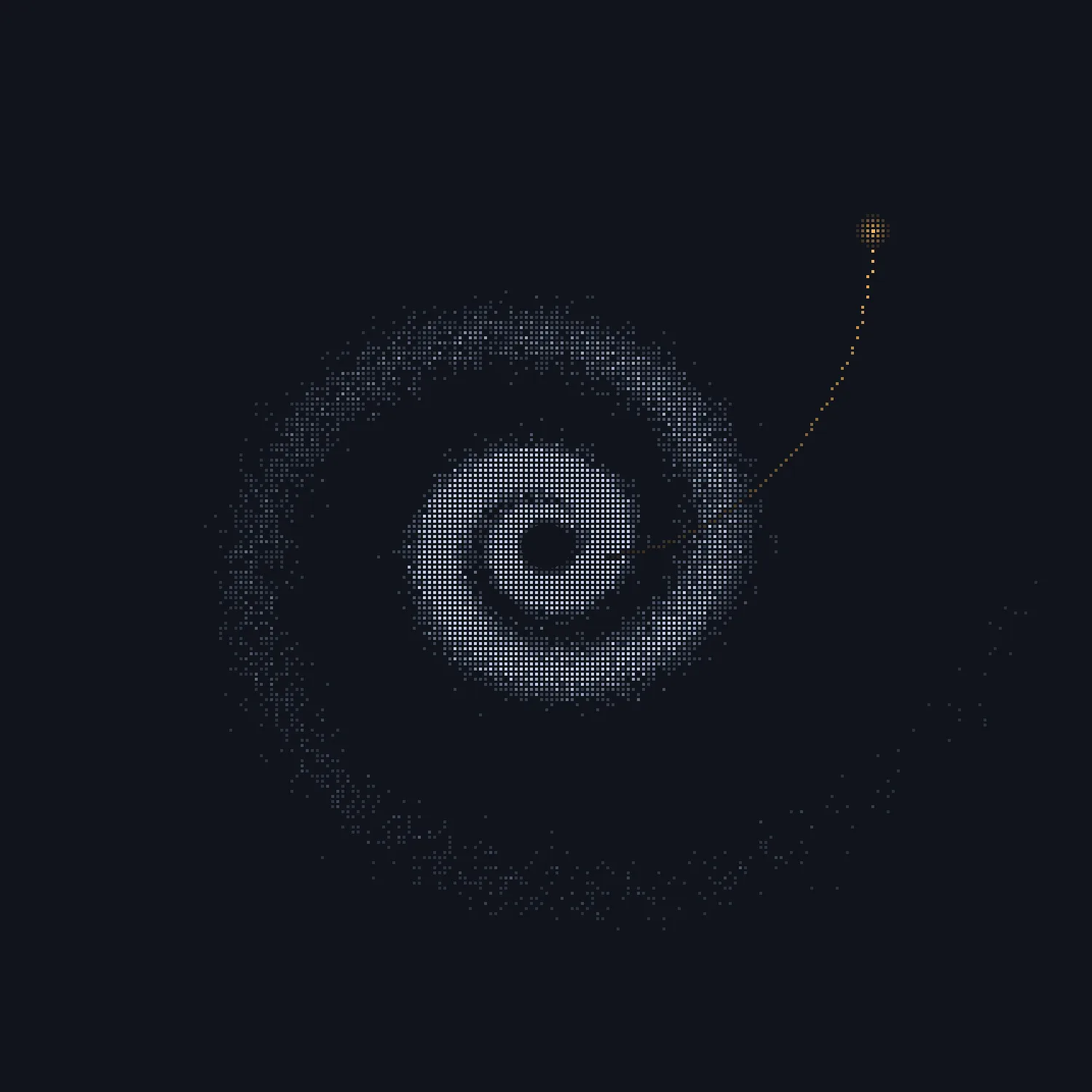
Thousands of grey dots wound into a whirlpool, and one warm dot travelling out of it.
The pull, and one way out of it.
47 seconds

How long, on average, people stayed on one screen before switching, in workplace studies since 2016. In 2003 it was about two and a half minutes.

Gloria Mark, Attention Span, 2023
More stress

Interrupted people make up the time by working faster, and pay for it in stress, frustration and time pressure.

Mark, Gudith & Klocke, CHI 2008
In breach

In February 2026 the European Commission's preliminary view was that TikTok's infinite scroll, autoplay and push notifications breach EU law.

European Commission, 6 Feb 2026
What we believe
Software should be judged by how well you live when you're not using it.

So we're building the other kind: three free apps that guard your attention while you work, tell you the truth about your time online, and, when the day is done, send you outside.

Slipstream's logo
When you work

Slipstream

A whole Linux desktop, keyboard-first, where nothing interrupts you while you're typing.

Glimmerwood's icon: the wisp on moss
When you're online

Glimmerwood

A quiet browser whose small companion brightens when you learn or make something, and grows sleepy in an endless feed.

Westering's icon: a warm star low over a mossy horizon
When the day is done

Westering

A few quiet minutes under tonight's real sky, and then it suggests you go and look at the real stars, or go to bed.

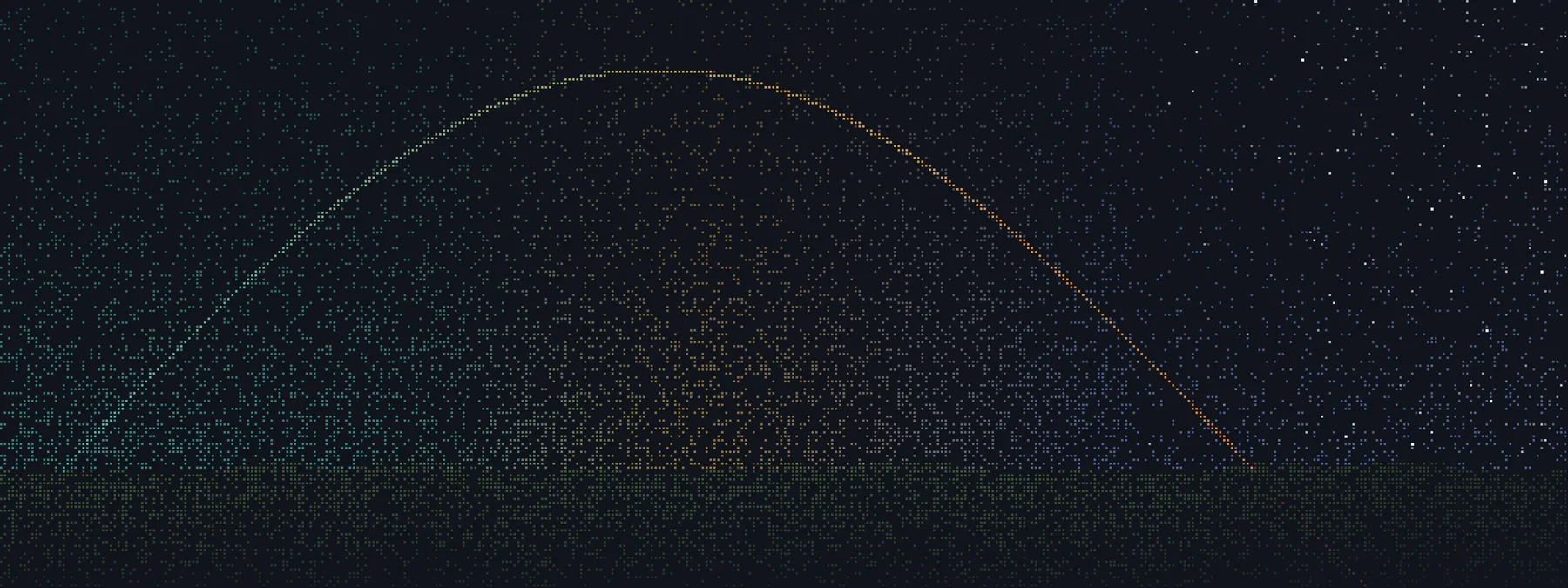
The Sun's path across one day, drawn in dots: teal in the working morning, amber in the afternoon, setting into a starry night over a mossy horizon.
A day with all three

From the first key
to the last light.

09:00
Slipstream

Your apps open where you left them yesterday, and every window is a keystroke away.

10:40
Slipstream

Three messages arrive while you're typing. Nothing pops up until you pause.

16:30
Glimmerwood

Deep in a feed, the little flame in the corner grows sleepy. Nothing stops you; you just see it.

19:00
Glimmerwood

A new tab opens on a garden. A day of learning grew ferns.

22:30
Westering

Under tonight's real sky you write down what's on your mind, and it becomes a star low in the west.

22:50
Westering

A few slow breaths, the screen dims, and the last line points outside: Saturn is up in the south-east.

The desktop Slipstream

The desktop that's on your side.

A keyboard-first desktop for Linux, in one download that installs beside the one you have.

It holds your notifications until you pause, shows you what's going on without asking for a look, and measures nothing about you. Good-looking enough that you want to sit down at it; quiet enough that you get lost in the work rather than the machine.

A workshop, not a slot machine.

Wayland compositorRustRelease candidate for 1.0GPL-3.0-or-later
A Slipstream desktop with a note, a to-do list and Settings tips back and sinks into the Vortex living wallpaper, which takes over the screen, then rises back into place.
Step away and your windows sink into a living wallpaper; one key brings them back. Recorded from Slipstream itself.
Concentration first

Nothing interrupts you.

You know the moment: halfway through a thought, something pops up, and the thought is gone. Slipstream can tell that you're typing, never what, and keeps that moment yours.

Typing in a terminal while the bell on the bar counts three notifications and nothing pops up. At the pause, one card appears: 3 while you were typing.
Three messages arrive while you type. Nothing pops up until you pause.
  • Notifications wait for a pause, then arrive together as one card. Urgent ones never wait, and nothing waits more than fifteen minutes.
  • Windows you didn't ask for can't barge in or run off with your keyboard. They pour into a stream at the edge of the screen instead.
  • Hold Caps Lock for Awake, and the screen won't fade or lock by itself until you hold it again.
  • Nothing records your screen without asking you first, by name.
The right edge of the screen: a window pours into a new stream of light beside two already running, each under its app's icon. The busy app's stream pours fast and bright; the idle one sends a few slow grey streaks.

What you put away keeps you posted.

Put a window away and it pours down the side of the screen as a stream of light, still running.

A busy app pours fast and bright; a quiet one sends a few slow grey streaks. A download finishing catches your eye without you going to look.

Rest the pointer on a stream to see what it's using right now. Click it to bring the window back.

No telemetry, ever. What you do on your computer stays on your computer. It never checks for updates by itself.

No AI features, ever, and nothing built to keep you looking for longer than you meant to.

The keyboard

Every window, one key away.

Bullet time: the desktop tips back into 3D with every workspace beside the last and an amber letter over each window; a key press glides across to the next workspace, and Enter drops back into it.
Bullet time: every workspace laid out, a letter on each window, everything slowed to a quarter of its speed.

One shortcut tips the whole desktop back. Press a letter and you land on that window.

  • Keys your hands already know. Windows' keys from the start, or a Mac's or Omarchy's habits instead, and every hint on screen follows your choice.
  • Tiling that isn't all or nothing. Hold Super+T and pick an arrangement from pictures of your own windows.
  • An explorer that answers. Tap Super and type an app, a setting, a file, 15% of 80 or 5 km in miles.
  • New to tiling? Take the tour. Fourteen short lessons start from the keys you know, say why before what to press, and play out on a miniature of your own desktop.
The living wallpaper

Step away, and it comes alive.

There are twenty wallpapers, and most aren't animations at all: they're worked out live as you watch, so they never run quite the same way twice. Whichever you choose runs behind your windows all along, and takes the screen when you step away. Every effect has a reduced-motion version, switched live from Settings.

Attractor: the logo unravelling into a strange attractor drawn in dotsAttractorThe logo unravels into a strange attractor, then winds back into letters.
Galaxies: two spiral galaxies drawn in dots, circling each otherGalaxiesTwo galaxies collide, then the collision runs backwards.
Physarum: a slime mould spreading out of the logo in amber veinsPhysarumA slime mould creeps out over the screen in amber veins.
Life: glowing Game of Life cells swirling round the logoLifeConway's Game of Life, glowing and swirling to a beat.
Coral: a chemical reaction growing in stripes and spots from the lettersCoralThe letters seed a chemical reaction that grows in stripes and spots.
Warp: a tunnel of streaks with the logo rising from its vanishing pointWarpA tunnel of streaks, the logo rising from its vanishing point.
Make it yours
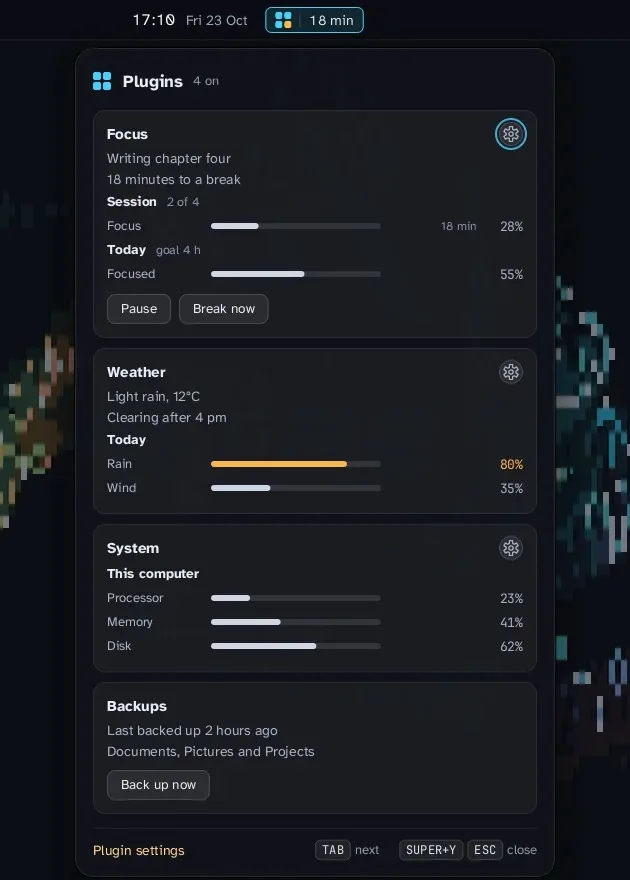
The plugin panel under the clock with four cards: a focus timer, the weather, the computer's processor, memory and disk, and backups.

Plugins beside the clock.

Little apps, your own or other people's, each add a card to a panel that drops from the bar. Anything that prints a line of JSON can be one.

Nothing runs until you've looked. Each plugin runs in a sandbox that reaches only what it lists, and Settings says in plain words what that is before you turn it on. If its files change later, it switches itself off until you've looked again.

Your colours, everywhere. Pick one of ten sets of three colours that go together, and the whole desktop follows, Settings included.

Get Slipstream

One command downloads the newest release, checks its published checksum and signature, and says what it will do before it writes anything. Then log out and choose Slipstream on the login screen. Add -- --try to open it in a window first, installing nothing.

sh -c "$(curl -fsSL https://raw.githubusercontent.com/peterwalker78/slipstream-desktop/main/install.sh)"

x86_64 Linux with Debian 13's libraries or newer. github.com/peterwalker78/slipstream-desktop

The web browser The wisp, a small glowing flame with a friendly face, resting on moss

Glimmerwood

The web browser that's on your side. Probably the only browser that's happiest when you're not using it.

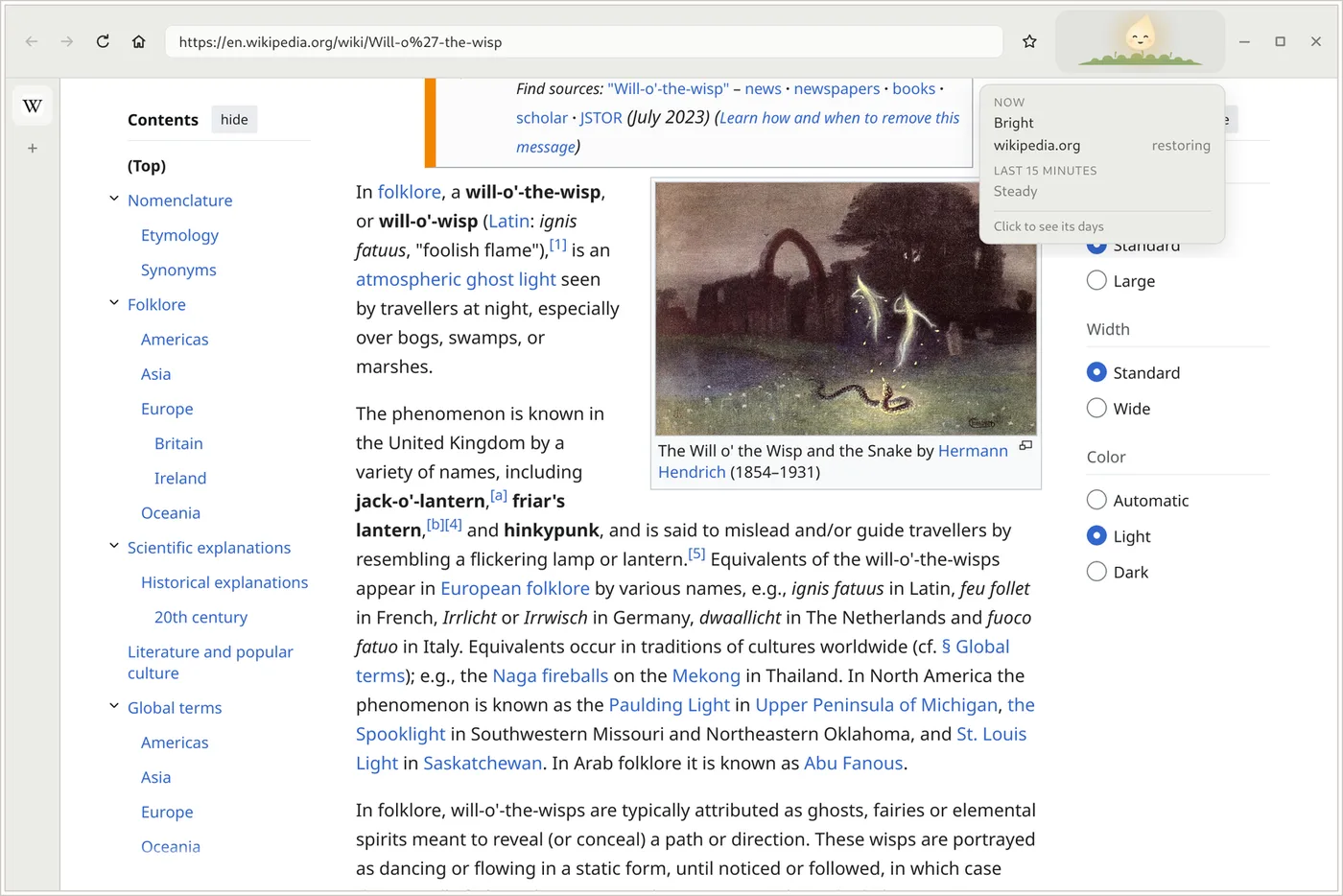
A small, glowing flame with a face lives in the corner of the toolbar. It's yours, and it reflects the quality of your time online the way the sky reflects the weather.

Somewhere that restores you and it brightens and lets off little motes of light. Sink into an endless feed and it clouds over, grows tired and drifts to the edge of its nook, as if it's ready to go outside and hoping you'll come too. It never scolds you.

Glimmerwood showing a Wikipedia article. In the corner of the toolbar the wisp is bright and smiling, with its caption open.
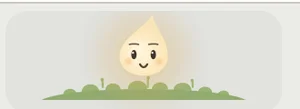
The wisp, bright: open eyes and a smileBrightrested and ready
The wisp, happy: eyes closed in a smileHappysomewhere that restores you
The wisp, clouded: pale blue-grey and waryCloudeda long scroll is weighing on it
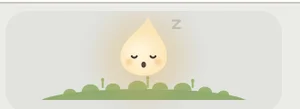
The wisp, sleepy: a dim ember on dry mossSleepytime for a breather
The wisp, dozing while you're awayDozingyou're away, and it's resting too
The wisp winding down: a warm glow late at nightWinding downlate at night, with you
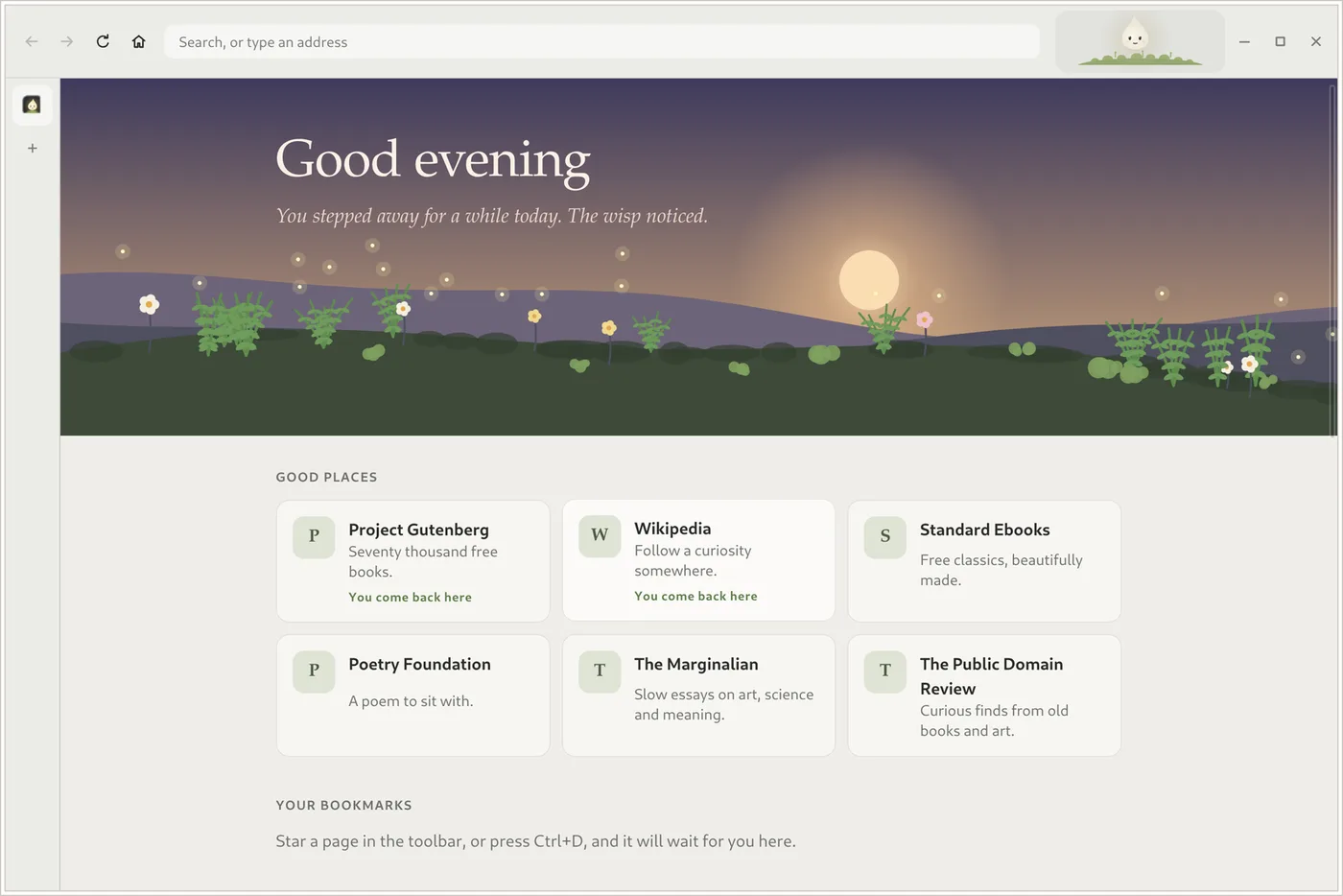
Glimmerwood's Home page: a garden under an evening sky, a greeting, and cards for good places such as Project Gutenberg and Wikipedia.

A garden that grows on good days.

Every new tab opens on a calm page made on your computer. A quiet day brings moss, a day of learning ferns, a calm night fireflies. Nothing ever wilts, and missing a day costs nothing. Instead of the sites you visit most, it suggests somewhere worth going: over 300 researched corners of the web, from live nature cams and free books to museums and gentle puzzles.

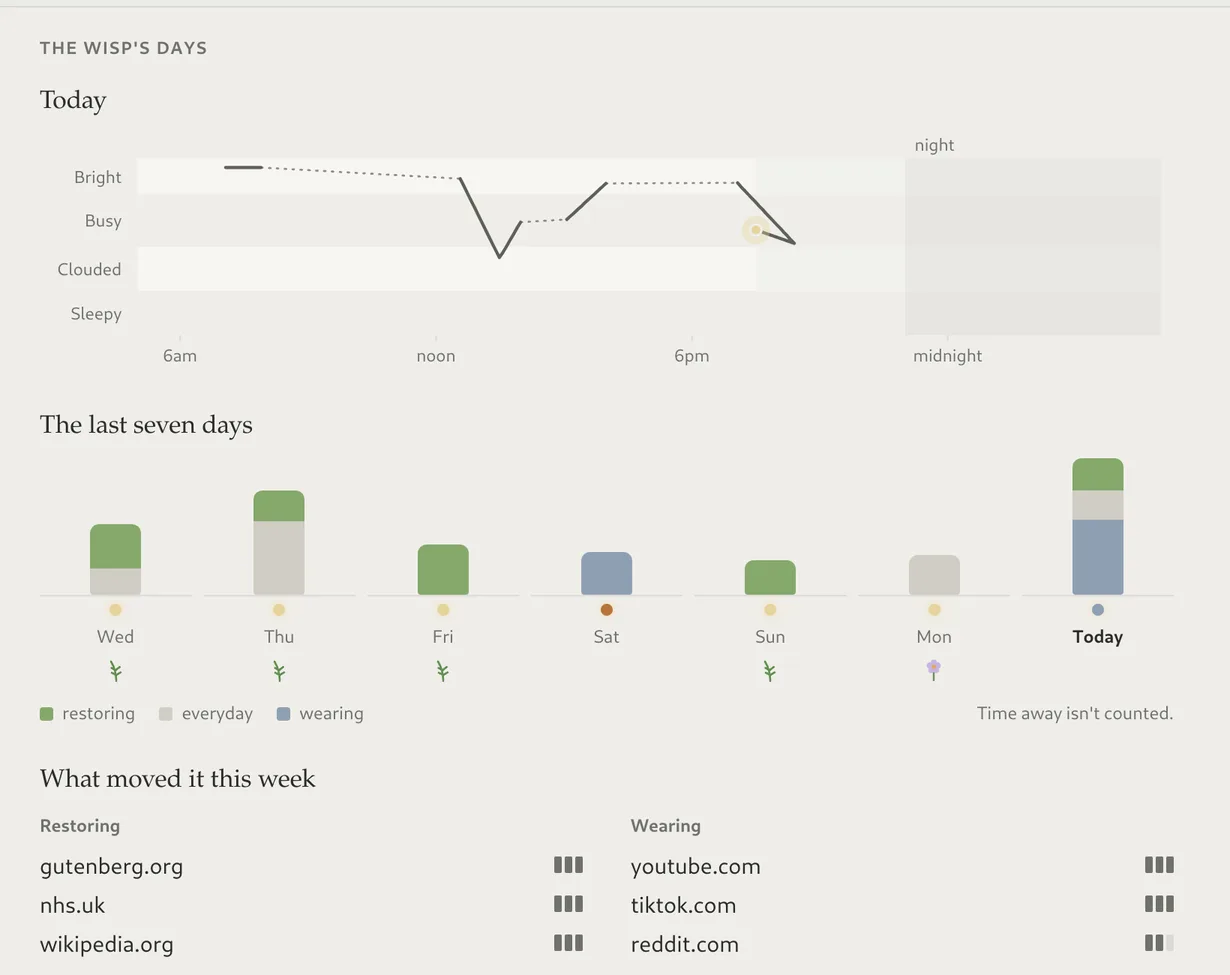
The wisp's days: today from bright to busy, seven day columns split into restoring, everyday and wearing time, and the sites that moved it this week.

See your days, not a scoreboard.

Click the wisp for how today has felt, the shape of your week, and which places restored you or wore you down. No minutes, scores or percentages anywhere: just the pattern, and the kind of mirror that makes the next choice easier. Oh, Thursday evenings are always like that.

Why a little light works better than a lock.

  • Noticing, not nagging. The wisp does the noticing, so the choice stays yours.
  • You're always in charge. No page is ever blocked and nothing pops up to warn you.
  • Time away counts most. The best thing for your wisp isn't a “good” website; it's closing the laptop.
  • Your evenings matter. After eleven, the wisp winds down with you.

Nothing leaves your computer.

  • No accounts, telemetry, update pings or cloud. The only traffic is the pages you visit.
  • The wisp never sees an address, only which list a place was on.
  • History keeps a week, on your computer, then it's deleted.
  • Trackers are blocked before they can load.

Get Glimmerwood

Install the Flatpak, make it your default browser, and use the web as you normally would. There's nothing to set up.

curl -LO https://github.com/peterwalker78/glimmerwood/releases/latest/download/glimmerwood-x86_64.flatpak
flatpak install --user glimmerwood-x86_64.flatpak

x86_64 Linux, with Flathub for the GNOME runtime. On a phone: the garden on the web. github.com/peterwalker78/glimmerwood

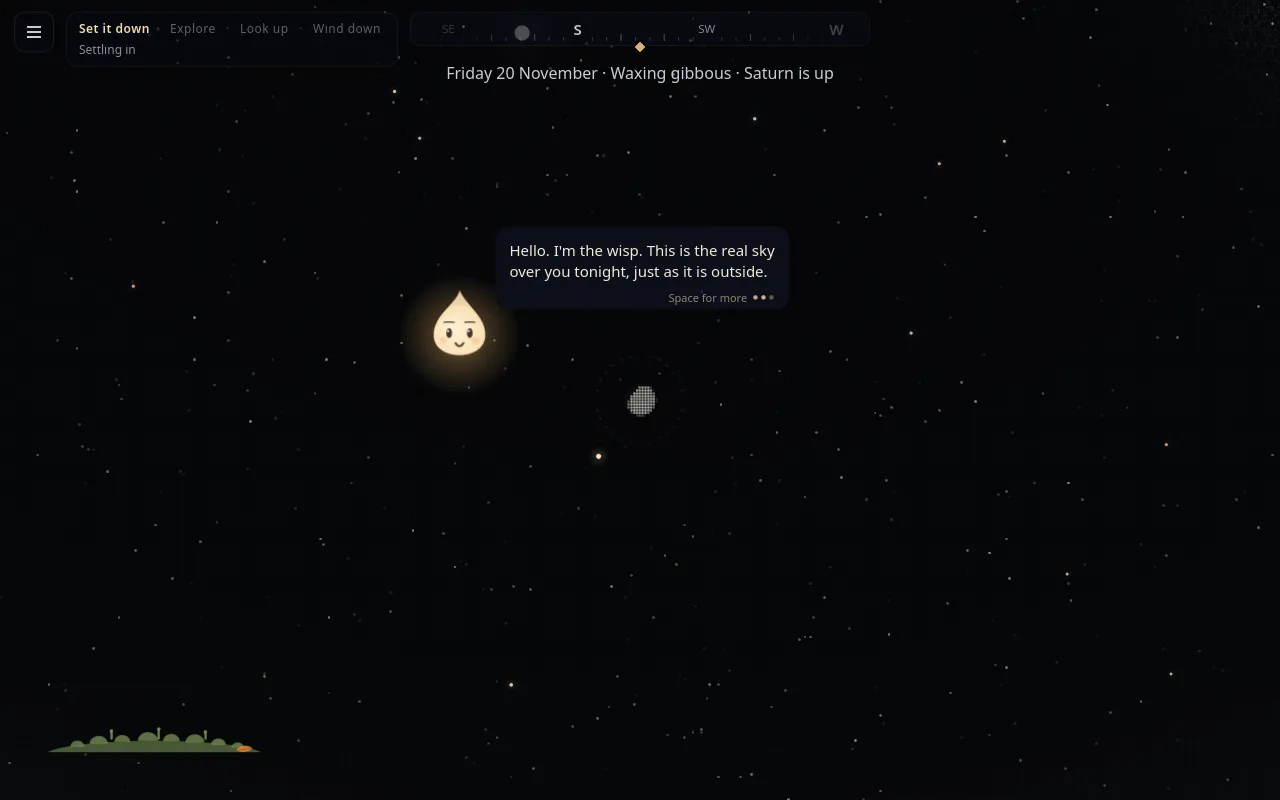
Westering's night sky in fine dots. The wisp, a small glowing flame, says: Hello. I'm the wisp. This is the real sky over you tonight, just as it is outside.
The end of the day

Westering

Going west, as the Sun and stars do when they go down.

Tonight's real sky, and then the real sky outside.

A small stargazing game that is designed to let you go. A few quiet minutes at the end of the day to come back to what matters: the people who are there for you, something to look forward to, and setting down what's weighing on you so it's lighter in the morning.

It draws the sky over you right now, in fine dots: the real stars, the Moon at its real phase, the planets that are really up. The wisp from Glimmerwood is out for the night, on a tuft of moss on the horizon.

Every evening

Four parts, then goodnight.

i

Set it down

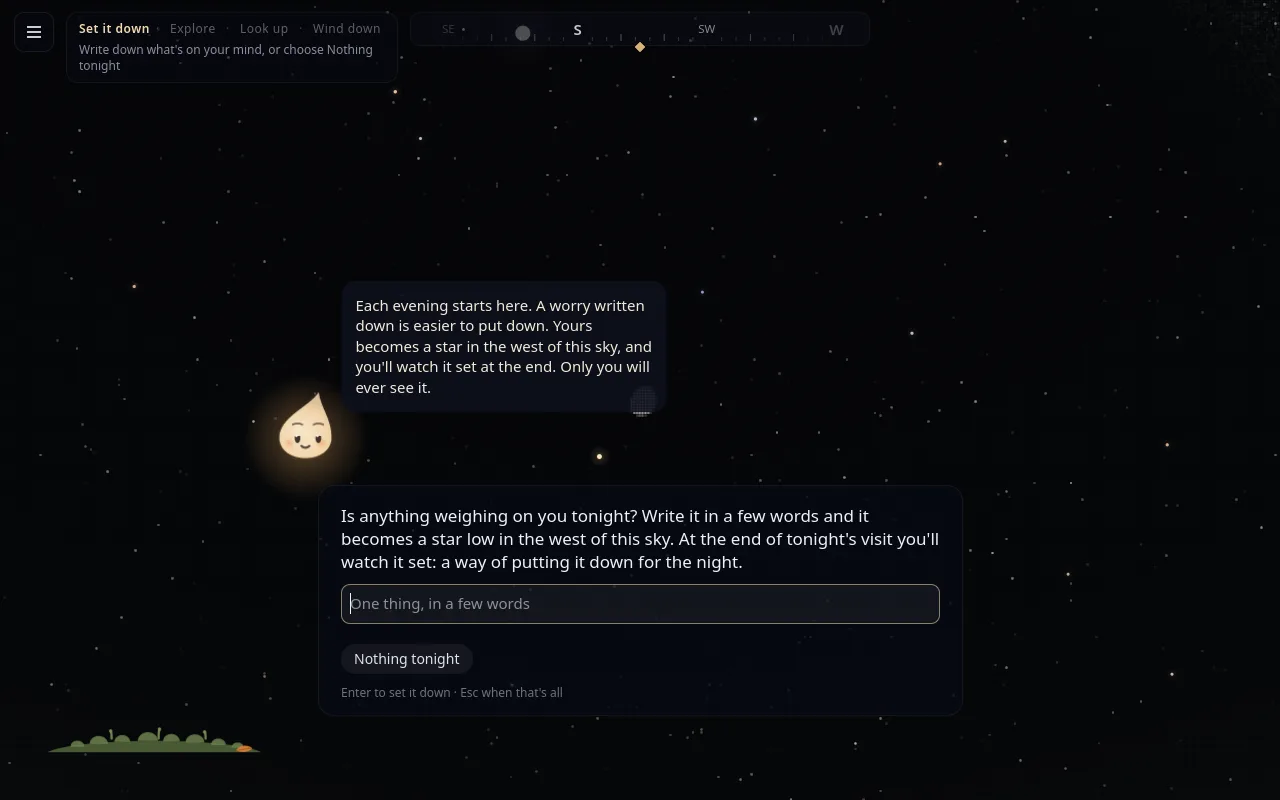
Anything heavy tonight? Write it in a few words and it becomes a warm star hung low in the west. Only you will ever see it.

ii

Explore

Tonight's list with the wisp: planets, clusters and galaxies to find, a story told a card at a time, and now and then a small question about your life.

iii

Look up

The sky on your own. Zoom in and a real photograph from Hubble, Webb or a ground telescope takes over from the dots.

iv

Wind down

A few slow breaths with the wisp, in for four and out for six. The screen dims, and you watch what you set down sink behind the horizon.

The wisp beside a box asking: Is anything weighing on you tonight? Write it in a few words.
“Is anything weighing on you tonight?” A worry written down is easier to put down.
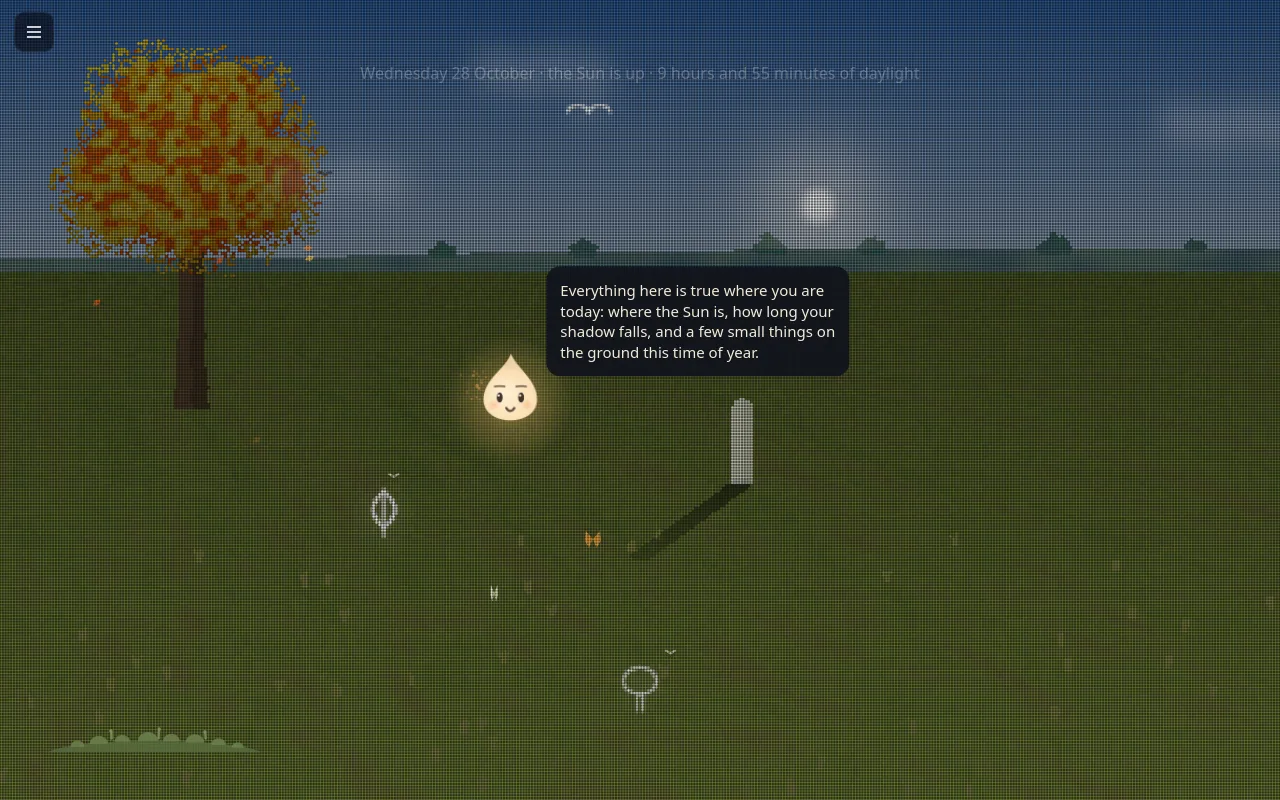
Westering by day: a dotted field under an autumn tree, a standing stone casting this minute's shadow, and the wisp.
By day there are no stars, so it looks down: the Sun where it really is, a standing stone casting this minute's shadow, and a nudge to step outside.
Built to let you go

It wants you to leave.

Most apps are built to keep you. This one is built to let you go, and says so, so there's no trick in it.

  • The sky is finite. Only so many things to find each night; then the sky is done until it has turned.
  • It slows as you play. The twinkle, the drift and the pace ease down towards the speed of slow breathing. Nothing announces it.
  • It offers the way out. About a quarter of an hour in, once, a line says how to wind down. It never says how long you've been here.
  • It dims before the end, a little at a time, because bright light keeps a mind awake.
  • Nothing to come back for. No streaks, scores, badges or notifications. Missing a night costs nothing.
  • No network access at all. What you write stays on your computer, by construction.

“If it's clear: Saturn is up in the south-east, a steady light that doesn't twinkle. Give your eyes twenty minutes.”The last line. Then the window closes itself.

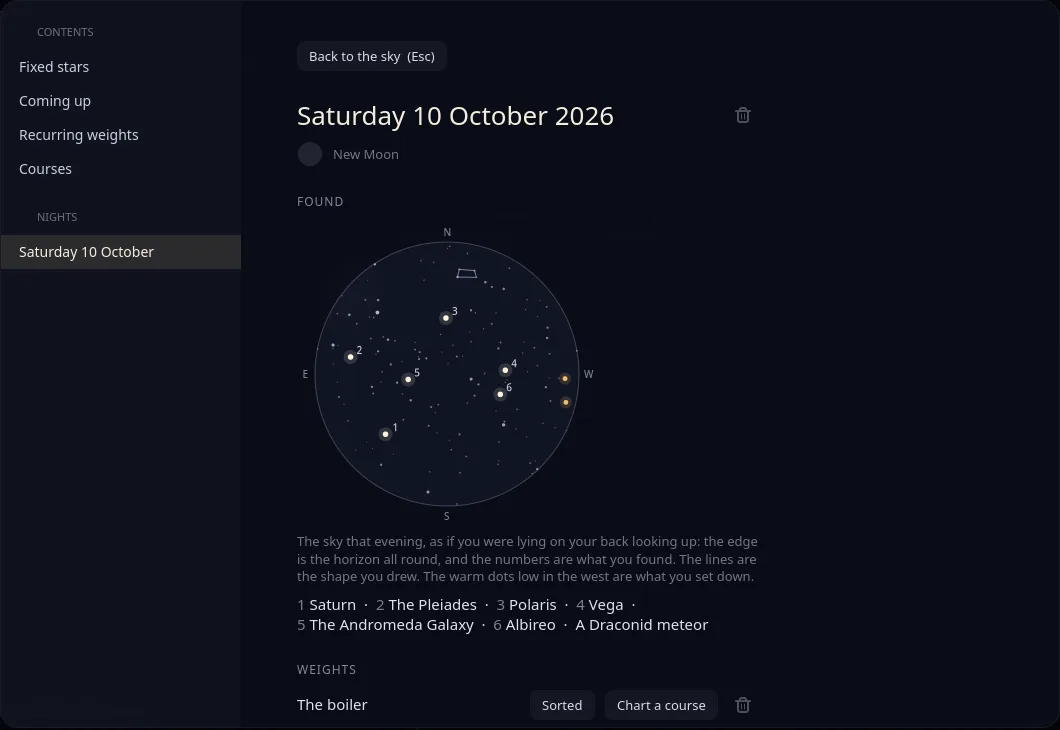
A night's page in the logbook: a round chart of that evening's sky with the finds numbered, and the worries set down.

A logbook of plain files. A page for each night with a small chart of that evening's sky. Any worry can have a plan charted for it, only if you ask: a wish, the best of it, what gets in the way, and an if-then plan.

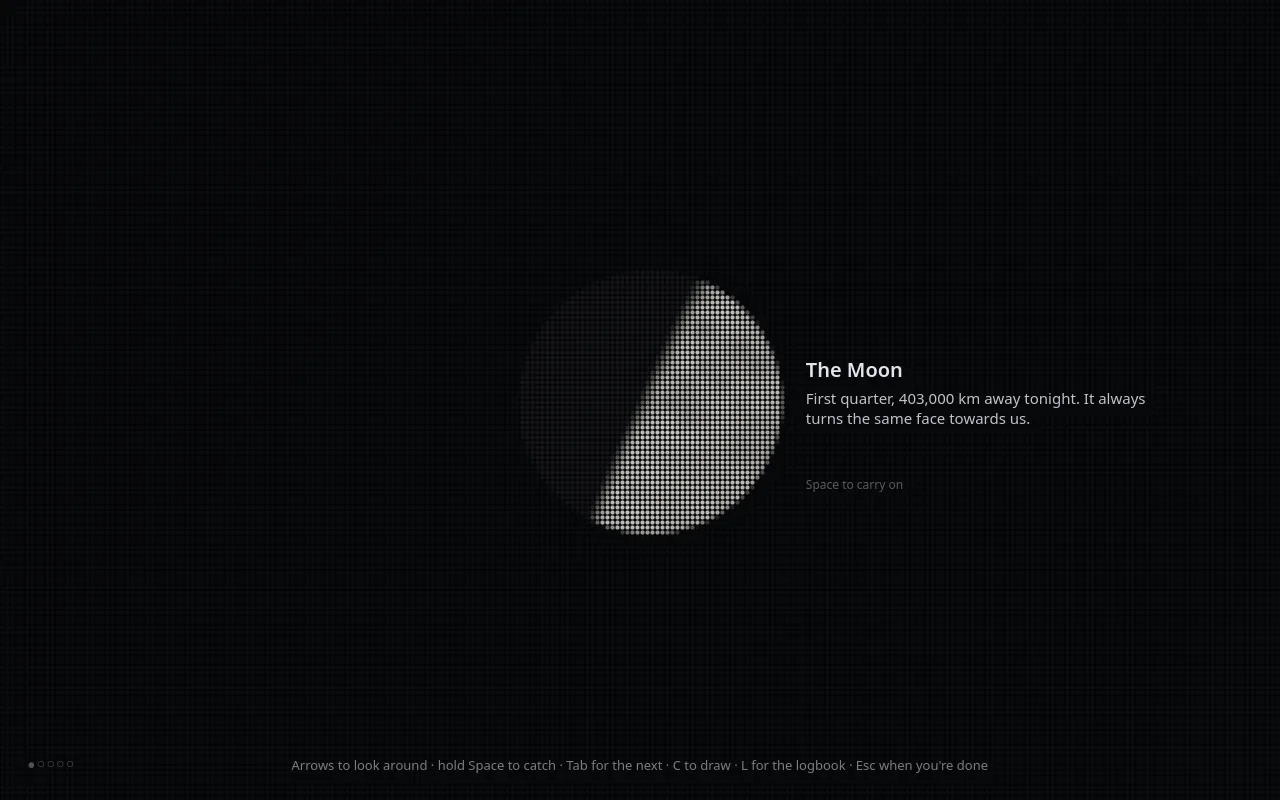
The Moon close up in dots, with a card: first quarter, 403,000 km away tonight.

Get Westering

Open it at the end of the day. The first night, the wisp shows you around.

curl -LO https://github.com/peterwalker78/westering/releases/latest/download/westering-x86_64.flatpak
flatpak install --user westering-x86_64.flatpak

x86_64 Linux, with Flathub for the GNOME runtime. github.com/peterwalker78/westering

Who made it

Written by AI.
Directed by a person.

All of the code in Slipstream, Glimmerwood and Westering is written by AI: Claude, made by Anthropic. We say so plainly, because it matters how software you trust was made.

What the AI can't do is decide what the apps are for, judge how they feel, notice where they fall short, or know when they really work. That came from Peter Walker, who set the vision, made the calls, and has used all three every day since the first build, catching what no test would.

None of the apps has AI features, and none ever will.

The vision

615+
Prompts written by PeterAcross 61 or more working sessions; only about twenty were a bare “continue” or “yes”.
270+
Design decisionsApprovals, rejections and choices between options, from the logo to what each app must never do.
75+
Ideas that started with himFeatures and principles that came from Peter, not the AI: concentration first, the wisp, a game that wants you to leave.

Technical correctness

95+
Bugs found by living with the appsFaults that passed every automated test and only showed up in daily use on real hardware.
6+
False “it works” caughtTimes the AI reported something fixed or finished and it wasn't. Peter accepts “it works” only after watching it work.
5
Bugs reported upstreamProblems traced to the software underneath, such as the WebKitGTK web engine and the Linux kernel. One is already fixed.

Counted from the AI's own session transcripts for all three apps and the agent-notify plugin, 14 September to 23 October 2026. These are minimums: the transcripts miss the first week of building, and planning done in chat. Between them, the three repositories hold 790 commits on their main branches.

The close effect

He picked a design from the AI's mockups; the first build looked like the window being chopped into strips. About eight rounds of his direction later (close downwards, more transparency, eat the window while pushing it), it was right.

The idea for Westering

The AI's first two answers to “what about down-time?” missed what he meant. He steered it to a separate app that quietly helps you switch off, then set what was in it: reflective questions, people and plans, no AI.

The agent monitor

Over one evening the AI said a feature worked again and again. Each time he watched a real run, it didn't. It took a redesign he pushed for, not another patch.

Why it works

Built on what we know about people.

None of this is new science. It's well-studied psychology, applied by software that has nothing to gain from your time.

Where the evidence is modest, we say so: nobody has shown that stargazing itself improves sleep. The claim is only that a little dark and a big sky beat another half hour of screen.

What research foundWhat we builtWhere
Interruptions cost more than time. People make up for them by rushing, at the price of stress and frustration.Mark, Gudith & Klocke, 2008Notifications wait for a pause in your typing, then arrive as one card.Slipstream
Calm technology informs at the edge of attention instead of demanding the centre of it.Weiser & Brown, 1995Streams show what an app is doing from the corner of your eye; the wisp sits quietly in a corner.Both
Flow, deep absorption in a task that stretches you, is among the most satisfying states people report.Csikszentmihalyi, 1990A keyboard-first desktop where every window is one key away, and nothing pulls you out.Slipstream
Noticing changes behaviour. Students who only kept track of their social media use came out less anxious.Hunt and others, 2018The wisp notices for you, so you see the pattern and the choice stays yours.Glimmerwood
Shame makes people hide from a problem; guilt about a specific act makes them repair it.Tangney & Dearing, 2002Nothing scolds. At its heaviest the wisp looks sleepy, never sad, and nothing is ever blocked.Glimmerwood
Bright screens in the evening delay the body's sleep hormone and push sleep later.Chang and others, 2015Night light follows the real sun; the wisp winds down after eleven; Westering dims before the end.All three
Gratitude lifts mood. People who wrote weekly about what they were grateful for felt better about their lives.Emmons & McCullough, 2003Small questions about the people who are there for you, without ever naming gratitude.Westering
If-then plans markedly raise the odds of following through on a goal.Gollwitzer & Sheeran, 2006A plan charted for a worry: a wish, the best of it, what's in the way, and what you'll do if it happens.Westering
Slow breathing, under ten breaths a minute, goes with calm and less anxiety.Zaccaro and others, 2018The wisp breathes with you, in for four and out for six, and its own breath slows through the evening.Westering
Awe, at something vast, goes with less stress and less dwelling on oneself.Piff and others, 2015; Anderson, Monroy & Keltner, 2018The last line names something real to look at in tonight's sky, outside.Westering
For the technically curious

Under the hood.

Three native Linux apps written in Rust, each its own open-source project, each standing on its own. They share an aim and a look, and no code dependencies in either direction. Every change is built and tested in CI.

Slipstream

Rust · Smithay · Wayland · GTK 4
What it is
A whole desktop: its own Wayland compositor, bar, notifications, lock screen, app explorer and Settings. X11 apps run through XWayland; Flatpaks and games work.
Install
One portable download, checked against its published checksum and signature. It says what it will do before writing anything, and --uninstall removes exactly what it wrote.
Tested on
Every release is installed and started on Debian, Ubuntu, Fedora, Arch and openSUSE.
Extending
Plugins are any program that prints a line of JSON, each in a sandbox that reaches only what it lists. Settings are plain text.

Glimmerwood

Rust · GTK 4 · WebKitGTK 6 · Flatpak
Engine
WebKitGTK, from the same engine family as Safari, in a lean shell with a single toolbar.
Privacy
Trackers blocked before they load; every site asked for a secure connection first. The wisp's records hold a list name, never an address, title or anything typed.
A test for kindness
A test fails the build if the browser's own interface ever grows a pop-up dialog or anything red.
Lists you can read
What counts as restoring or wearing is plain text you can edit, and anyone can propose a change.

Westering

Rust · GTK 4 · Flatpak with no network permission
The sky
Every star to magnitude 6.5 from the Yale Bright Star Catalogue. Tests check the planets against NASA JPL's Horizons to within 0.2°, and the Moon to within 0.1°.
No location service
Where you are comes from your time zone; Settings takes a latitude and longitude if you want it closer.
A test for calm
A test checks that the pace only ever eases down and the light never jumps.
Sources
Over 300 photographs from NASA, ESA/Hubble, ESA/Webb and others, each credited on screen; every music track is CC0.

Not yet: ARM machines, Ubuntu 24.04 and the distributions built on it, and Slipstream with NVIDIA's driver, which hasn't been tried. Glimmerwood is Linux only.

Free software: all three are GPL-3.0-or-later, for x86_64 Linux, on GitHub under peterwalker78. Issues and pull requests are welcome.

What all three promise

Trust is the whole product.

Software that notices how your time feels has to be trustworthy, so these aren't settings. They're how the apps are built.

Nothing leaves your computer.

No telemetry, accounts or cloud. Westering can't even reach the network.

Nothing is counted against you.

No streaks, scores or badges. Missing a day costs you nothing.

Kindness over guilt.

Nothing scolds or nags, no page is blocked, and every choice stays yours.

No AI features, ever.

The code is written by AI; the apps contain none. Software that does what it says.

Built to be put down.

Nothing is designed to keep you looking for longer than you meant to.

Free and open.

Read every line, build it yourself, and keep it for ever.

Other builders can join us if their apps keep the same promises: read the code for allies.

Why now

The tide is turning.

Oct 2025

Windows 10 support ends, leaving millions of working computers looking for somewhere to go.

Dec 2025

Australia's minimum age of 16 for social media accounts comes into force.

Feb 2026

The European Commission's preliminary findings say TikTok's addictive design breaches the Digital Services Act.

Mar 2026

Linux passes 5% of Steam's hardware survey for the first time.

Regulators are naming addictive design, and more people than ever are arriving on Linux. They deserve software that's on their side.

Questions

Plain answers.

What is Human Again?
The shared aim of three free Linux apps: Slipstream, a keyboard-first desktop; Glimmerwood, a quiet web browser; and Westering, a night-sky game for winding down. Each is built to give people their attention back rather than to hold on to it.
Are they free?
Yes. All three are free and open source under the GNU GPL, version 3 or later, with no accounts, adverts or paid tiers.
Was the code written by AI?
Yes, all of it, by Claude. The vision, the design decisions and the testing come from Peter Walker, who uses all three apps every day. None of the apps has AI features, and none ever will.
Do they collect any data?
No. There is no telemetry and no account. Glimmerwood's only network traffic is the pages you visit, and Westering has no network permission at all.
Which computers do they run on?
x86_64 Linux. Slipstream needs Debian 13's libraries or newer and is tested on Debian, Ubuntu, Fedora, Arch and openSUSE. Glimmerwood and Westering are Flatpaks for any Linux desktop. There are no Windows or macOS versions.
Can I use one without the others?
Yes. Each is its own project. Slipstream's installer offers the other two, but Glimmerwood and Westering run on any Linux desktop.
Can other apps join?
Yes, if they're free and open source and keep the same promises, checked in the open. One broken promise and they're off the list. Read the code for allies.
Be part of it

Help us make people human again.

All three apps exist, run every day, and are free for anyone to use. What comes next is about reaching the people they're for.

1

Use them.

Try Slipstream in a window on the desktop you have now, installing nothing, by adding -- --try to the install command.

2

Build with us.

Write a plugin, propose a site for the right list, test on hardware we haven't reached, or open an issue. Every report makes the apps better for everyone.

3

Back the work.

If you believe technology should be judged by how well people live when they put it down, we'd like to talk about taking this further, together.